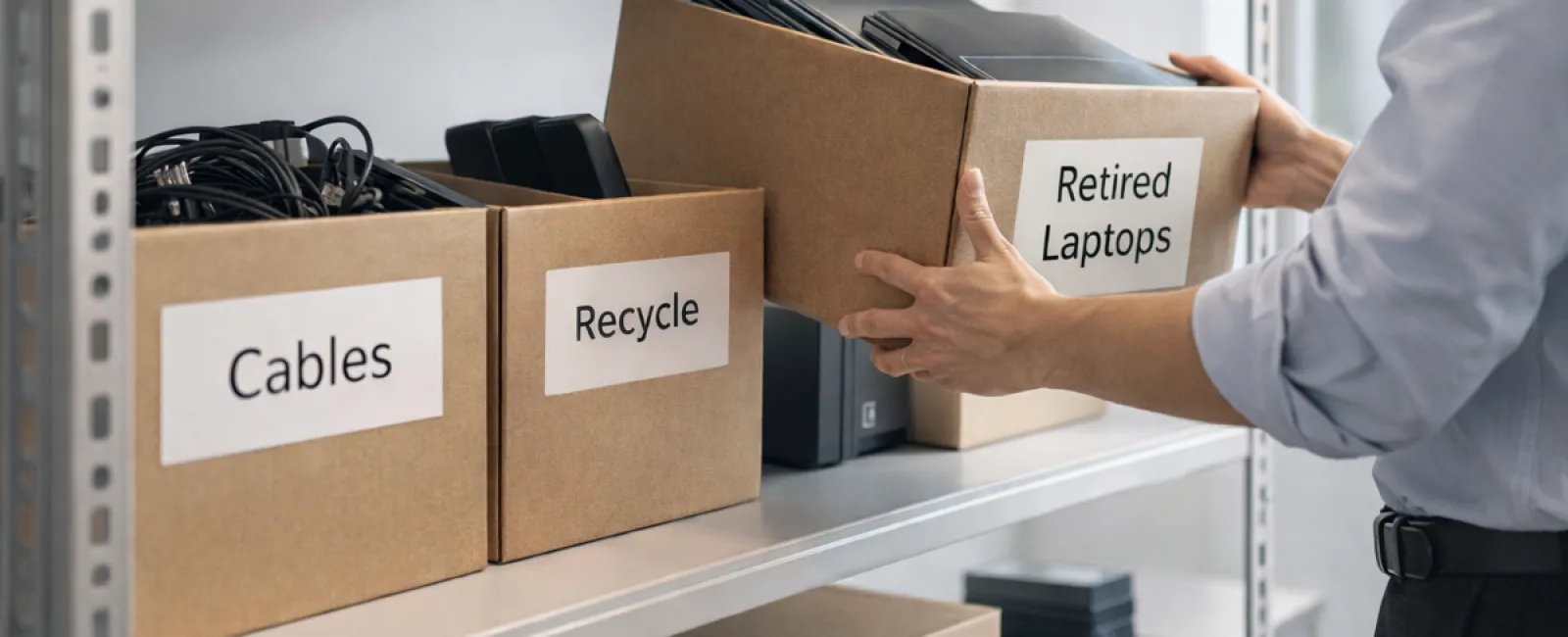
While many think of spring cleaning as a closet chore, businesses often face a bigger challenge: clutter that's hidden beyond clothing racks.
It might be tangled on a server rack, stashed away in storage, tucked in a back office, or buried under a "we'll tackle this later" pile.
Outdated laptops. Obsolete printers. Backup drives from several upgrades past. Boxes of cables kept "just in case."
Every business collects this digital debris over time.
The real question is not whether you have it, but whether you have a strategic plan for managing it.
Technology Follows a Lifecycle Beyond the Purchase
When you invest in new technology, it's usually for clear reasons — increased speed, enhanced security, higher capacity, or supporting growth.
While many businesses carefully plan tech purchases, few take equal care in planning their retirement.
Retiring equipment often happens quietly: a device gets swapped out, set aside, and eventually someone clears the clutter.
This is common practice.
What's rare is treating technology retirement with the same purposeful attention as acquisition.
Old equipment holds residual value — recyclable materials, data stored within, and potential for reuse. Yet unused tech can slow operations if it sits unmanaged.
Spring is a perfect moment to evaluate: what's still useful, and what's merely occupying space?
A Clear Strategy to Declutter Your Tech
To move beyond vague intentions, apply this straightforward four-step method.
Step 1: Conduct an Inventory
Identify what exactly you're retiring — laptops, smartphones, printers, network hardware, or external storage. You can't effectively manage what you don't know exists. A quick walkthrough usually uncovers unexpected items.
Step 2: Choose the Proper Destination
Devices generally fall into three outcomes: reuse (in-house or donating), recycling (via certified e-waste programs), or destruction (for sensitive data). The key is deliberate decision-making to avoid indefinite storage.
Step 3: Prepare Devices Thoroughly
Discipline here pays off.
For reuse or donation, unregister the device from management systems, revoke user permissions, and perform certified data wiping—not just a factory reset. Files deleted or quick formats don't truly erase data; they merely hide it.
Research by data security company Blancco exposed that 42% of resold drives on eBay contained sensitive information, despite previous owners' claims of erasure. Certified wiping tools overwrite data completely and provide verification reports.
When recycling, always choose certified e-waste vendors instead of trashing devices. Remember, Best Buy's recycling accepts only household items, not commercial tech.
For commercial electronics, select IT asset disposition (ITAD) providers or business-grade recyclers holding e-Stewards or R2 certification (findable at e-stewards.org and sustainableelectronics.org). Your IT partner can also assist.
If destruction is necessary, rely on certified data erasure or physical destruction (shredding, degaussing), and maintain detailed records including serial numbers, methods, dates, and handlers.
This is about closing your data security loop—no paranoia, just smart practice.
Step 4: Document and Finalize
After equipment leaves your premises, confirm and record where it went, how it was processed, and that all access permissions were revoked. Documentation eliminates lingering doubts.
Often Overlooked Devices
While laptops often get attention, other tech frequently slips under the radar.
Phones and tablets may contain active emails, contact info, or authentication apps. A factory reset erases most data, but certified mobile wipe software ensures full removal. Major brands like Apple and Samsung offer trade-in programs for even older models, sometimes yielding credit toward replacements.
Modern printers and copiers often include internal hard drives storing copies of every print, scan, copy, or fax. When returning leased machines, demand written confirmation that these drives will be wiped or removed before reuse.
Batteries are classified as hazardous waste by the EPA. Many states, including California, New York, and Minnesota, prohibit businesses from discarding rechargeable batteries in general trash. Remove batteries when possible, tape terminals to avoid shorts, and recycle at certified drop-off locations. Call2Recycle.org maps nearby sites, and stores like Staples, Home Depot, and Lowe's accept rechargeable batteries in most branches.
External drives and retired servers often linger in closets far longer than planned. They require the same respectful retirement process as all other hardware.
Reminder on Responsible Recycling
Earth Day in April reminds us that electronics deserve proper disposal.
Over 62 million metric tons of e-waste are generated annually worldwide, yet only about 22% is recycled correctly. Batteries, monitors, and circuit boards must enter certified recycling streams. Most communities provide e-waste collection services tailored for this purpose.
Handled well, retiring technology promotes cleaner operations, environmental responsibility, and strategic advantage. You can protect your data and the planet simultaneously.
This commitment is subtle but powerful—a positive note for your company's social media and a meaningful message customers appreciate.
Seeing the Bigger Picture
Spring cleaning isn't just about removal; it's about creating space to thrive.
Clearing out outdated hardware is a start. While reviewing your tech, ask yourself: Is our technology truly enabling us to operate the way we envision?
Hardware is transient. The real drivers of success today are software, integrated systems, automation, and streamlined processes that boost productivity and profitability.
Properly retiring old gear is good housekeeping; ensuring your technology ecosystem aligns and energizes your business goals is what keeps you ahead.
How We Help
If you already have a smooth process for retiring equipment, fantastic. That's exactly how it should feel: easy and routine.
But when you plan to replace old hardware responsibly, it's also the ideal moment to evaluate the broader technology picture. Are your systems efficient? Do your tools integrate well? Is your technology fueling growth or just maintaining status quo?
If you're ready for a fresh perspective on how your tech stack, software, and processes can better support your productivity and profits, we're here for that conversation.
No checklists. No pressure. Just a straightforward talk about optimizing technology for your business.
Click here or give us a call at 916-626-4000 to schedule your free 15-Minute Discovery Call.
Inspired? Share this valuable advice with fellow business owners.
Don't let spring cleaning stop at closets; extend it to the vital systems powering your business.